
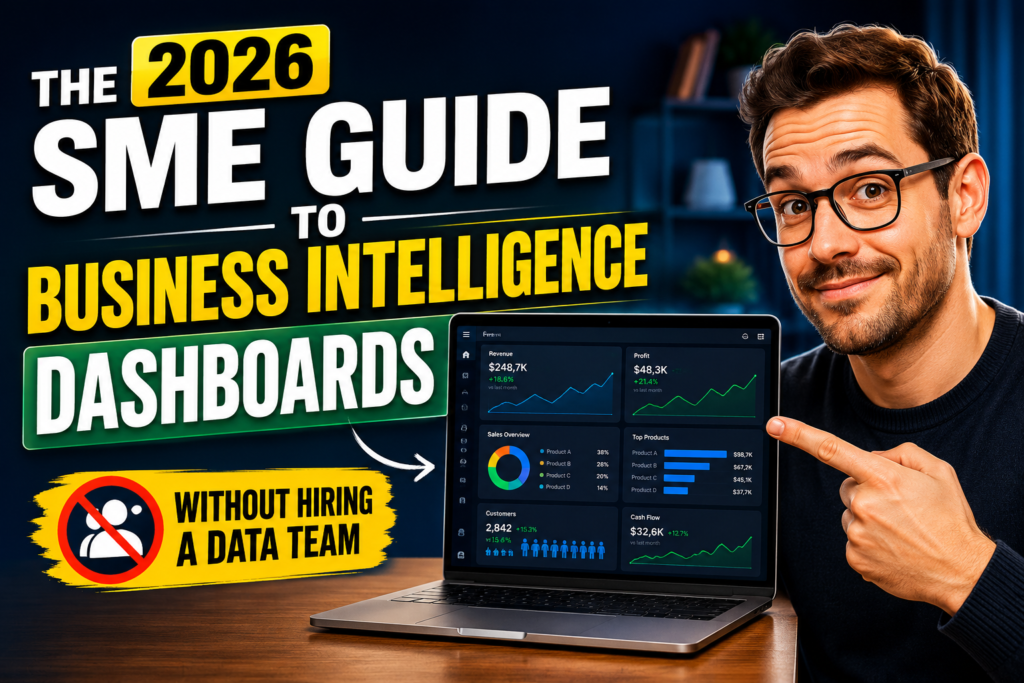
BI dashboards for SME and small business owners used to mean one thing: hire a data analyst, spend months on implementation, and pay enterprise-grade software prices to get a report that was already outdated by the time it landed in your inbox.
That world is gone.
In 2026, the best BI dashboard tools for small businesses are drag-and-drop, cloud-based, AI-powered, and priced from free to $25 per user per month. A non-technical operations manager can build a functional, live-updating business intelligence dashboard before lunch — connecting their CRM, accounting software, Google Ads account, and spreadsheets into a single view — without writing a line of code or raising a ticket with IT.
The business case for doing it is not subtle. Data-driven organisations are 23 times more likely to acquire customers, 6 times more likely to retain them, and 19 times more likely to be profitable than their peers, according to McKinsey. Companies with BI tools are twice as likely to be in the top quartile of financial performance in their industry. Organisations that adopt BI report an average ROI of 127 percent within three years. SMEs that use BI tools report revenue increases of 15 to 20 percent and cost reductions of 15 to 50 percent through better forecasting and more efficient operations.
And yet most SMEs are still making decisions from spreadsheets assembled on a Friday afternoon, or waiting for a monthly report that shows what happened 30 days ago with no indication of what is happening right now.
This guide changes that. It covers what a BI dashboard actually is, why your SME needs one in 2026, which metrics to track first, which tools match which budgets and technical levels, and how to go from zero to your first live dashboard in a week — without a data team.
What Is a Business Intelligence Dashboard — and What It Is Not
Before choosing a tool, it helps to be precise about what a BI dashboard actually is — because the term is used to describe everything from a simple spreadsheet chart to a sophisticated enterprise analytics platform, and the gap between those things is enormous.
A business intelligence dashboard is a visual interface that pulls data from one or more of your business systems, processes it automatically, and displays it as up-to-date charts, KPI tiles, tables, and graphs — without requiring you to manually update anything. The key word is automatically. A dashboard that you have to refresh manually every Monday morning is a report. A BI dashboard refreshes itself, sometimes in real time, sometimes on a schedule of your choosing.
The sources a modern BI dashboard connects to typically include your CRM (Salesforce, HubSpot, Zoho CRM), your accounting software (QuickBooks, Xero, FreshBooks), your eCommerce platform (Shopify, WooCommerce), your marketing tools (Google Ads, Meta Ads, Mailchimp), your website analytics (Google Analytics), and your spreadsheets and databases. Instead of logging into six separate tools every morning to understand how your business is performing, one dashboard shows you everything on one screen.
What a BI dashboard is not: a static report emailed monthly, a spreadsheet with charts in it, a tool that requires a data scientist to operate, or something that only makes sense for businesses with thousands of employees and millions in data infrastructure budgets. Modern BI dashboards for small businesses are specifically designed to be set up and operated by generalist business users — not data professionals.
The distinction between types of dashboards is worth understanding briefly:
Operational dashboards show what is happening right now — live orders, support ticket queue, inventory levels, today’s revenue. They are designed for daily use by operational teams.
Analytical dashboards show trends over time — sales growth by month, customer acquisition cost by channel, gross margin by product line. They are designed for weekly or monthly strategic review.
Strategic dashboards show high-level business health across all functions — revenue, margin, customer metrics, operational KPIs — in a single executive view. They are typically used by founders and senior management.
Most SMEs benefit from starting with an analytical dashboard covering three to five core KPIs, then building operational dashboards for specific functions as the habit of checking real data becomes embedded in how the team makes decisions.
Why 2026 Is the Year SMEs Stop Waiting and Start Using BI
Small and medium enterprises are the fastest-growing segment of BI adoption in 2026. Grand View Research confirms that the SME segment is projected to grow at the fastest compound annual growth rate in the BI software market from 2026 to 2033. The global BI market reached $54.9 billion in 2026, growing at 12.4 percent annually — and the growth is no longer happening at the enterprise tier. It is happening at the SME tier, driven by one development that changed everything: cloud-based, self-service BI tools that require no infrastructure investment and no technical team to operate.
Three specific shifts have made 2026 the tipping point for SME BI adoption:
The cost dropped to near zero at entry level. Looker Studio is completely free. Zoho Analytics has a usable free tier. Power BI Desktop — the authoring tool — costs nothing. The price barrier that previously made BI an enterprise-only technology has been eliminated for small businesses willing to start with the tools available to them today.
The technical barrier collapsed. Self-service BI adoption has increased by 31 percent year-over-year as business teams demand autonomy from IT departments. Natural language processing capabilities now enable 59 percent of employees to query data using conversational prompts — typing “show me this month’s revenue by region” and receiving a chart in response. AI-assisted BI has reduced manual data preparation tasks by 35 to 40 percent. You do not need to know how to code to build a dashboard in 2026. You need to know what question you want answered.
AI made dashboards proactive, not just descriptive. The most significant change in 2026 is that modern BI dashboards no longer just show you what happened. AI-powered dashboards surface anomalies before you notice them, forecast what is likely to happen next week or next quarter based on your historical patterns, and alert you when a KPI crosses a threshold you defined — in real time, on your phone. Machine learning integration in BI dashboards increased by 48 percent in 2025. Enterprises integrating AI into BI report 50 percent faster insight delivery. This capability is no longer reserved for enterprise customers — it is available in the SME-priced tools covered in this guide.
The competitive consequence of waiting is real. Data analytics makes decision-making five times faster for businesses that adopt it, according to Better Buys research. Organisations with high BI adoption rates are five times more likely to make faster and better-informed decisions than peers using manual or spreadsheet-based reporting. In a market where your larger competitors have had BI capabilities for years, every month your SME spends managing its data in spreadsheets is a month of compounding competitive disadvantage.
The 12 KPIs Every SME Dashboard Should Track First
The most common mistake SMEs make when building their first BI dashboard is trying to track everything simultaneously. The result is a cluttered, confusing interface that nobody uses after the first week. Start with the metrics that directly reflect the health of your business and expand from there.
The following 12 KPIs form a practical starting point for most SME dashboards, grouped by function. Choose the six to eight most relevant to your specific business and build your first dashboard around those.
Revenue and Sales
Monthly Recurring Revenue (MRR) or Monthly Revenue is your most fundamental business health indicator. Display this as a trend line over the previous 12 months with a month-on-month percentage change. This single view tells you immediately whether your business is growing, plateauing, or declining — and at what rate.
Sales Pipeline Value shows the total value of active deals in your CRM weighted by probability of closing. This is the leading indicator that predicts future revenue before it appears in your financial accounts. A dashboard that shows current revenue alongside pipeline value gives you a 90-day forward view of your revenue position.
Customer Acquisition Cost (CAC) measures how much you spend in sales and marketing to acquire each new customer. When tracked over time, this reveals whether your growth is becoming more or less efficient — a rising CAC is an early warning sign of marketing or sales inefficiency.
Customer Lifetime Value (LTV) when tracked alongside CAC tells you the ratio of what a customer is worth over their relationship with your business relative to what it cost to acquire them. An LTV:CAC ratio below 3:1 is a signal that your unit economics need attention.
Operations and Delivery
On-Time Delivery Rate or Project On-Time Completion shows the percentage of orders, projects, or deliverables completed by their committed deadline. This is the operational metric most directly correlated with customer retention and referral.
Average Response Time to customer enquiries across all channels — email, phone, chat — is the operational KPI most directly correlated with customer satisfaction and conversion rate. Research consistently shows that response time is one of the strongest predictors of whether a prospect converts.
Operational Cost per Unit or per Customer shows how your delivery costs evolve as volume grows. A healthy scaling business should show this figure declining over time as fixed costs are spread across more units or customers.
Marketing
Website Visitors and Conversion Rate shows how many people are finding your business online and what percentage take the desired action. The conversion rate is almost always more actionable than the traffic volume — a small improvement in conversion generates more revenue than a large increase in traffic at the same conversion rate.
Return on Ad Spend (ROAS) by channel shows which advertising investment is generating revenue and which is consuming budget without return. Most SMEs running paid advertising across multiple channels discover significant performance variation between channels that is invisible without a unified dashboard.
Email Campaign Engagement covers open rate, click rate, and conversion by campaign. This reveals which messaging resonates with your audience before you invest further in the approach.
Finance
Gross Margin by Product or Service shows which parts of your business are most profitable and which are subsidising underperformers. This is the financial insight that most directly drives pricing, product, and portfolio decisions for SMEs.
Cash Runway shows how many months of operating expenses your current cash balance covers at your current burn rate. For any SME that is not yet profitable or that carries significant working capital requirements, this is the metric that determines whether everything else matters.
The Best BI Dashboard Tools for SMEs in 2026 — Honest Comparison
The tools that dominate enterprise BI lists — Tableau, Looker, Qlik — are not the right starting point for most SMEs. They assume a dedicated data engineering team, months of implementation time, and licensing costs that start at $35,000 per year for Looker and $42 to $75 per user per month for Tableau. The tools below are built for a different buyer: a business under 200 people that needs real analytics without a technical team running it.
Zoho Analytics — Best Overall for SMEs in 2026
Zoho Analytics is the most complete SME BI solution in 2026 for businesses that want genuine analytics capability without requiring any technical expertise to operate it day to day. It earned a position in the Gartner Magic Quadrant for Analytics and BI Platforms for the fourth consecutive year in 2025 — the only tool in this price range with that validation.
What it does well: a drag-and-drop report builder that most non-technical users can navigate on their first day, 500-plus native data connectors covering essentially every tool an SME uses, an AI assistant called Zia that surfaces insights and anomalies automatically, row-level security that allows you to show different users only their own data, and transparent pricing that starts at $8 per user per month with a fully functional free tier for two users and 10,000 rows.
One Zoho Analytics customer reduced the time spent creating charts and reports by 50 percent and cut their overall software expenses by 30 percent after switching from a previous BI solution. Their previous alternative was Power BI, which they found too complex for their non-technical users.
Pricing: Free tier (2 users, 10,000 rows, unlimited dashboards). Basic at $8/user/month. Standard at $12/user/month. Premium at $22/user/month for 15 users.
Best for: SMBs with mixed SaaS stacks, no dedicated data engineer, and teams where multiple non-technical users need to build and use dashboards independently.
Not ideal for: Very large enterprises with complex data modelling requirements, businesses that need deep custom SQL development built into daily workflow.
Microsoft Power BI — Best for Microsoft 365 SMEs
Power BI is the right choice if your business already runs on Microsoft 365 and your team is comfortable with Excel. The integration between Power BI, Excel, Azure, and SharePoint is seamless, and Power BI Pro may already be included in your Microsoft 365 business plan — meaning the effective cost is zero if you are already paying for the Microsoft stack.
What it does well: exceptional integration with the Microsoft ecosystem, a genuinely powerful data modelling layer for users willing to learn DAX, strong security and governance, and a free Desktop application that allows you to build reports without any subscription cost if sharing is not required. Real-time streaming datasets and AI-powered insights are available at the Pro tier.
Where it creates friction: serious data modelling requires learning DAX (Data Analysis Expressions), which is a proprietary formula language with a significant learning curve. Approximately one third of new Power BI users cite onboarding complexity as a pain point — particularly teams without prior Microsoft data-tool experience. Row-level security requires DAX configuration, which means a non-technical user cannot set it up independently.
Pricing: Desktop (authoring only) is free. Power BI Pro is $14 per user per month. Power BI Premium Per User is $24 per user per month.
Best for: SMBs already running Microsoft 365, teams with moderate technical proficiency, businesses that want a BI tool that scales within the Microsoft ecosystem as they grow.
Not ideal for: Teams without anyone willing to invest time in learning DAX, businesses with frequent non-technical users who need to build their own dashboards, companies that need white-label client-facing reporting.
Looker Studio (formerly Google Data Studio) — Best Free Option for Google-Ecosystem SMEs
Looker Studio is the right choice for one specific type of SME: a business whose primary data sources are Google products — Google Analytics, Google Ads, Google Search Console, YouTube Analytics, BigQuery, and Google Sheets — and whose reporting needs are relatively straightforward. In that narrow use case, it is exceptional. It is free, it connects to Google’s ecosystem natively, and its drag-and-drop interface is accessible enough that most non-technical users can build basic dashboards quickly.
What it does well: completely free for the base product, shareable via link with no login required for viewers, real-time collaboration in the same way Google Docs work, and 36 chart types with dynamic filtering.
Where it falls short: there is no row-level security — you cannot automatically filter what different users see when they open the same dashboard, which makes it unsuitable for multi-client or multi-department reporting. Third-party connectors for data sources outside Google’s ecosystem typically cost $30 to $500 per month per connector. White-label branding is unavailable. There is no meaningful customer support.
Pricing: Free for the base product. Third-party connector fees vary widely by provider and data source.
Best for: Startups, freelancers, marketers, and small eCommerce businesses whose data lives primarily in Google’s ecosystem and whose reporting needs are basic.
Not ideal for: Any business that needs to show different users only their own data, businesses with data outside Google’s ecosystem, or any team that needs row-level security for client-facing dashboards.
Metabase — Best Free Option for Technical Teams
Metabase is the right choice for a technical SME team that wants a free, open-source BI tool with a clean interface and does not need row-level security or white-label features. The open-source version can have dashboards running within an hour of connecting to a database — genuinely faster setup than any other tool in this comparison for teams comfortable with Docker.
What it does well: free open-source deployment, a visual query builder that allows non-SQL users to ask questions of their data, connections to 20-plus database types including CSV upload, and a clean and uncluttered dashboard interface.
Where it falls short: row-level security requires the paid Enterprise plan at $500 per month or more. White-label features are enterprise-only. Hosting and maintenance are your responsibility on the open-source version. For teams without any technical resources, the self-hosted setup is a real barrier.
Pricing: Open-source self-hosted version is free. Cloud hosted starts at approximately $85 per month. Row-level security requires the Enterprise plan at $575 per month or higher.
Best for: Technical SME teams who want free, do not need row-level security, and are comfortable managing self-hosted infrastructure.
Not ideal for: Non-technical teams, any use case requiring per-user data filtering, or businesses that need client-facing dashboards with data isolation.
Databox — Best for Simple KPI Tracking and Client Reporting
Databox sits between a lightweight KPI dashboard tool and a full BI platform. It connects to over 100 pre-built data sources, has a genuinely simple setup process, and includes a mobile-first interface that makes it particularly effective for business owners who want to check their numbers on their phone rather than at a desktop. It is strong for agencies and SMEs that need to share clean, branded KPI summaries with clients or management.
What it does well: very fast time to first dashboard, strong mobile experience, pre-built dashboard templates for common business tools, and an accessible interface that requires no technical background.
Where it falls short: it is shallower than Zoho Analytics or Power BI for complex analytical work, and pricing scales in ways that can become expensive as data source connections and team members grow.
Pricing: Free plan for three data source connections. Starter from $47 per month. Professional from $135 per month.
Best for: Business owners and operations managers who want quick KPI visibility, agencies reporting to clients, and teams that check data primarily on mobile devices.
Quick Selection Guide — Which Tool for Which SME
You run Google Ads, Google Analytics, and Google Sheets, and your budget is zero: use Looker Studio.
You are already in Microsoft 365 and someone on your team is comfortable with Excel-level tools: use Power BI Pro (check if it is already included in your plan).
You want the most complete SME-friendly BI platform with AI, 500-plus integrations, and pricing that grows with you: use Zoho Analytics.
You are a technical team, want free, and do not need row-level security: use Metabase open-source.
You want the fastest setup and primarily need mobile-friendly KPI tracking: use Databox.
You have serious enterprise-grade needs, a dedicated data team, and a substantial budget: Tableau or Looker — but that is not the audience this guide is written for.
How to Build Your First SME BI Dashboard in One Week
The following step-by-step plan is designed for an SME with no data team, no prior BI experience, and a goal of having a live, auto-refreshing dashboard within five working days.
Day 1 — Define Your Three Most Important Questions
Do not start with a tool. Start with the three business questions that, if you could answer them instantly every morning, would make your decisions meaningfully better. Examples of well-formed business questions for BI dashboards:
“Which of our marketing channels is generating the highest-quality leads this month compared to last month?” “Is our gross margin improving or declining as we grow revenue?” “How many customers who bought in the last six months have not purchased again — and what is their average order value?” “Are we delivering projects on time and is that rate improving or getting worse?”
Write these down before you open any software. The clarity of your question determines the usefulness of your dashboard. A vague question produces a cluttered, confusing dashboard. A precise question produces a chart you will check every day.
Day 2 — Audit Your Data Sources
Identify where the data that would answer your three questions actually lives. Common SME data sources:
Sales and revenue data: your CRM (HubSpot, Zoho CRM, Salesforce), your accounting software (QuickBooks, Xero), or your eCommerce platform (Shopify, WooCommerce).
Marketing data: Google Analytics 4, Google Ads, Meta Business Manager, Mailchimp.
Operations data: your project management tool (Monday.com, Asana, ClickUp), your helpdesk (Zendesk, Freshdesk), or your spreadsheets.
For each data source, check: does your chosen BI tool connect to it natively? If yes, you are ready to proceed. If no, does a connector exist and what does it cost? Understanding the true connected cost of your BI platform is essential before committing.
Day 3 — Set Up Your Tool and Connect Your First Data Source
Sign up for your chosen tool (Zoho Analytics free trial is 15 days with all features; Power BI Desktop is a free download; Looker Studio requires only a Google account). Connect your single most important data source first — the one that answers your highest-priority question.
Do not attempt to connect everything simultaneously. The instinct to build the complete dashboard immediately leads to overwhelm and abandoned implementations. Connect one source, build one view, and see data appear before adding anything else.
Most modern BI tools guide you through the connection process with step-by-step wizards. In Zoho Analytics, connecting to Shopify, HubSpot, or QuickBooks is a matter of clicking the connector, authorising the connection with your account credentials, and choosing which data fields to import. In Looker Studio, connecting to Google Analytics takes approximately three minutes. In Power BI, connecting to an Excel file takes under five minutes.
Day 4 — Build Three Charts Around Your Three Questions
With your first data source connected, build exactly three visualisations — one for each of your three business questions from Day 1. Use the chart type that best represents each answer:
Trend over time: use a line chart. This is the right choice for revenue, traffic, conversion rate, and any metric where you want to see direction and rate of change.
Comparison between categories: use a bar chart. This is the right choice for comparing performance by channel, region, product, or team member.
Current status against a target: use a KPI tile with a target value set. This shows immediately whether the metric is on track, below target, or above it — in a single glance.
Resist the urge to add more charts at this stage. Three clear, well-designed visualisations that answer your three questions are infinitely more valuable than fifteen cluttered charts that nobody can interpret quickly.
Day 5 — Set Up Automatic Refresh and Share
Configure your dashboard to refresh automatically on a schedule that matches how often the underlying data changes. For daily operational metrics, daily refresh is appropriate. For weekly trend analysis, weekly refresh may be sufficient. For real-time operational dashboards, choose the shortest refresh interval your plan supports.
Then share the dashboard with the one or two people in your organisation who will benefit most from seeing it. In Zoho Analytics, sharing is a single-click process with granular permission controls. In Power BI, sharing requires Pro licences for all recipients. In Looker Studio, sharing is as simple as sending a link.
Sharing early is deliberate. When other people in your organisation start checking and referencing the dashboard, it creates accountability for keeping the data connections maintained and the metrics relevant. A dashboard that only you can see tends to be abandoned. A dashboard that your finance lead and sales manager check every morning becomes a decision-making habit.
Week 2 and Beyond — Expand Systematically
After your first dashboard is live and being used, the expansion process is straightforward:
Add one new data source per week. Each connection extends the range of questions your dashboard can answer.
Build one new view per key business function. After your revenue overview, add a marketing performance view, then an operations view, then a customer health view.
Activate AI alerts. All of the tools covered in this guide include alert features that notify you when a metric crosses a threshold — revenue drops below a target, customer churn rate spikes, ad spend efficiency falls below a minimum. Set these up and let the AI surface exceptions so you can focus on exceptions rather than routine reporting.
The Most Common BI Dashboard Mistakes SMEs Make (and How to Avoid Them)
Tracking too many metrics simultaneously. A dashboard with 30 KPIs is not more informative than one with six — it is less actionable, because nothing stands out as clearly requiring attention. The principle of purposeful dashboard design is that every element should earn its place by answering a specific question that affects a specific decision. If a chart does not change what you would do on a given day, it does not belong on a dashboard you check daily.
Starting with the tool before defining the question. The most common cause of abandoned BI implementations is choosing a platform, building dashboards without a defined purpose, and discovering a week later that the dashboards do not answer the questions that matter. Always begin with the question, then choose the data source, then choose the tool, then build the visualisation.
Confusing activity metrics with outcome metrics. Page views, email sends, and meetings booked are activity metrics. They describe what happened but not whether it produced a result. Revenue generated, customer retention rate, and gross margin are outcome metrics. They describe whether your activity is producing business value. Build your dashboard around outcome metrics first and use activity metrics only to explain why the outcomes are moving in the direction they are.
Neglecting data quality at the source. A BI dashboard that pulls from incomplete, inconsistent, or inaccurate source data will produce confident-looking charts based on wrong numbers. Before connecting a data source to your dashboard, spend 30 minutes reviewing the data quality in that source. Incomplete CRM records, inconsistent product categorisation, and duplicate customer entries are the most common data quality issues in SME data systems — and all of them produce misleading dashboards when automated.
Choosing the wrong tool for your team’s actual technical level. The single most important evaluation criterion for an SME BI tool is whether a non-analyst on your team can build a dashboard they will actually use, in under two hours, without asking for help. Run a trial with your real data and your least technical regular user before committing. A tool that works well for a data-savvy operations manager may be completely inaccessible to the person who ends up using it most frequently.
The Real Cost of Not Having a BI Dashboard — in Numbers
The cost of BI tools is easy to calculate. The cost of not having them is harder to see but significantly larger.
Time cost: research suggests that business owners and managers spend an average of 4 to 6 hours per week on manual data gathering, spreadsheet consolidation, and report preparation. At an owner’s or manager’s effective hourly rate of £50 to £150, that is £200 to £900 per week — £10,000 to £46,000 per year — spent producing information that a BI dashboard could update automatically.
Decision cost: organisations with high BI adoption rates make decisions five times faster. For an SME where a pricing decision, a hiring decision, or a product decision is delayed by two weeks waiting for someone to compile the relevant data, the opportunity cost of that delay is real and recurring.
Competitive cost: BI adoption reduces operational costs by an average of 18 to 22 percent through better forecasting and operational efficiency. Companies using BI for customer analytics report 19 percent higher revenue growth than competitors who do not. Predictive BI analytics reduce the time to act on insights by 35 percent. Every quarter that your competitors are operating with these advantages and you are operating without them is a compounding gap.
The ROI case closes quickly: BI tools for small businesses start at free. The realistic entry-level paid commitment for a genuinely capable SME BI platform is $8 to $15 per user per month. If one better-informed pricing decision, one marketing channel optimisation, or one supply chain adjustment produces even a 1 percent improvement in your revenue or margin — at any meaningful revenue level — the tool has already paid for itself.
The most significant development in BI for SMEs in 2026 is not cheaper pricing or better interfaces — it is AI that turns dashboards from passive reporting tools into active decision-support systems. Several of these capabilities are already available in SME-priced tools today.
Natural language queries allow you to type a question in plain English — “which customers spent the most in Q1?” or “show me my revenue trend for the last six months by product category” — and receive a chart in response. No SQL, no formula, no data analyst required. Zoho Analytics’ Zia assistant and Power BI’s Q&A feature both provide this capability. The Small Business Institute Journal confirms this is one of the most-cited reasons SMEs are now adopting BI tools they previously dismissed as too technical.
Anomaly detection surfaces data points that deviate significantly from expected patterns — a sudden drop in conversion rate, an unusually high refund rate on a specific product, a spike in customer churn from a particular segment — automatically and without requiring you to know what to look for. AI identifies the anomaly and alerts you before the pattern becomes a problem you can see in your monthly review.
Automated forecasting uses your historical data patterns to project future performance. In Zoho Analytics, the Ask Zia assistant can generate sales forecasts based on your connected CRM data. In Power BI, AI visuals include built-in forecasting on trend charts. These are not sophisticated econometric models — they are practical, accessible forecasting tools that give any SME owner a data-backed view of where their business is headed rather than relying on intuition alone.
Automated insight narratives generate plain-language summaries of what changed in your data and why — so the dashboard does not just show you a chart, it tells you: “This week’s conversion rate is 2.3 percent lower than last week. The largest contributing factor is a 34 percent drop in conversions from your paid search channel.” Zoho Analytics, Power BI, and Looker Studio all offer versions of this capability at different levels of sophistication.
Conclusion — Your Data Is Already There. Build the Window to See It.
Every SME that has been in business for more than a year is already generating the data that a BI dashboard would transform into competitive intelligence. Sales records, marketing spend, customer transactions, delivery performance, and operational costs — it is all sitting in separate tools, updated daily, and almost entirely unused for strategic decision-making because there is no unified view of what it means together.
Building a BI dashboard for your SME in 2026 is not a technology project. It is a decision-making project. The technology — whether Zoho Analytics, Power BI, Looker Studio, or Metabase — is the last step, not the first. The first step is deciding which three questions you most need to answer every morning to make better decisions for your business.
The tools to answer those questions cost between free and $25 per user per month. They require no data team, no IT department, and no technical background to operate. They can be set up, connected to your existing tools, and delivering live data to your team within a week.
The SMEs that build this capability now will have months or years of data advantage over those who wait — richer historical patterns for AI forecasting, more refined KPI definitions from experience, and a culture of data-informed decision-making that is genuinely difficult for competitors to replicate quickly.
Your data is already there. You just need the window to see it.
CALL TO ACTION
Need Help Building Your SME Business Intelligence Dashboard?
Wority Technology builds custom BI dashboards and analytics solutions for SMEs globally — connecting your existing tools, designing dashboards around the metrics that matter most to your business, and delivering a system your team can use and maintain without a data team. From first-dashboard setup to fully integrated business intelligence infrastructure, we handle the technical complexity so you can focus on the insights.
Visit www.woritytechnology.com to discuss your BI dashboard requirements.
FAQ SECTION — For Featured Snippet Rankings
Frequently Asked Questions About BI Dashboards for SMEs
What is the best BI dashboard tool for small businesses in 2026?
The best BI dashboard tool for small businesses in 2026 depends on your existing tech stack and team’s technical level. Zoho Analytics is the best overall option for most SMEs — it offers 500-plus data connectors, AI-powered insights, row-level security, and drag-and-drop dashboard building that non-technical users can operate from day one, starting at $8 per user per month with a free tier. Power BI Pro at $14 per user per month is the better choice if your business already runs on Microsoft 365. Looker Studio is the best free option if your data primarily lives in Google’s ecosystem.
Can a small business use business intelligence without a data team?
Yes. Self-service BI tools are specifically designed for small businesses without dedicated data or analytics teams. Tools like Zoho Analytics, Power BI, and Looker Studio offer drag-and-drop dashboard builders, natural language query capabilities, and guided setup wizards that allow any business user to build functional dashboards without writing code or SQL. In 2026, 70 percent of enterprises use self-service BI tools that allow non-technical users to create reports and dashboards independently, and the same tools are available to businesses of any size.
How much does a BI dashboard cost for a small business?
BI dashboard tools for small businesses range from completely free to approximately $25 per user per month for full-featured SME platforms. Looker Studio is free with no subscription required. Zoho Analytics starts at $8 per user per month with a free tier for two users. Power BI Pro costs $14 per user per month. The total cost of ownership depends on whether you need paid connectors for data sources outside the tool’s native integrations, which can add $30 to $500 per month per connector for some platforms. Factoring in a realistic SME implementation — three to five data source connections, five to ten users — a monthly budget of $50 to $200 covers a capable, full-featured BI dashboard for most small businesses.
What KPIs should an SME track on a business intelligence dashboard?
An SME BI dashboard should start with six to eight KPIs that directly reflect business health: monthly revenue trend, sales pipeline value, customer acquisition cost, gross margin by product or service, on-time delivery or project completion rate, website conversion rate, return on ad spend by channel, and cash runway. Tracking fewer metrics clearly and consistently is more actionable than tracking many metrics inconsistently. Add additional KPIs as specific business questions emerge, rather than building a comprehensive dashboard before you understand which metrics you actually check and act on.
How long does it take to set up a BI dashboard for a small business?
A first functional BI dashboard connected to one or two data sources can be set up in one to three hours using modern self-service tools like Zoho Analytics or Looker Studio. A more comprehensive dashboard covering multiple business functions, connected to five to eight data sources, typically takes three to five working days for a non-technical user. Building the dashboard to production standard — with automatic data refresh, appropriate user permissions, alert configurations, and documentation for other team members — takes approximately one week. Complex custom implementations requiring API connections or data transformation take longer and benefit from professional implementation support.
What is the ROI of business intelligence for small businesses?
Companies using BI tools report an average ROI of 112 to 127 percent within three years, according to Nucleus Research. SMEs implementing BI tools report revenue increases of 15 to 20 percent and operational cost reductions of 15 to 50 percent through better forecasting and efficiency. Data-driven organisations are 23 times more likely to acquire customers, 6 times more likely to retain customers, and 19 times more likely to be profitable than non-data-driven peers, according to McKinsey. For SMEs specifically, the ROI materialises most quickly through time saved on manual reporting, faster decision-making on marketing and operational questions, and early identification of performance problems before they become costly.
